Posts

Microsoft Endpoint Manager Quiz
Image
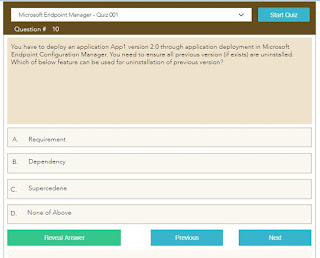
Introducing Microsoft Endpoint Manager Quiz at  https://www.techuisitive.com/quiz  . Please keep visiting to find more quiz related with Microsoft Endpoint Manager, Amazon Workspace, Windows Virtual Desktops and PowerShell scripting.
MECM - Software Deployment Strategy

A good software deployment strategy is required when you are deploying an application from Microsoft Endpoint Configuration Manager. A robust deployment plan will help you in error free deployment , limit the damage in case of an issue and minimize the recovery efforts. Read complete article on our Techuisitive blog here .

Microsoft Endpoint Configuration Manager (MECM) - Online instructor led training

Microsoft Endpoint Configuration Manager (MECM) is a management platform for Windows endpoints, providing inventory, software distribution, Patch management, operating system imaging, settings, compliance and security  management. Check out our complete training catalogue  here .

Powershell Script: Validate if Computer account exists in Active Directory

The below script will let you quickly validate if given computers are exists in Active Directory. You have to keep both script and Computer.txt in same location. Add the computers name in text file separated by new line. The result will be saved in Output.csv file in script folder. $File = "$PSScriptRoot\Computers.txt"  $LogFile = "$PSScriptRoot\Output.csv"    # Function to WriteLog File  Function WriteLog($Msg)  {      $Text = $Msg      Add-Content -Path $LogFile  $text       Write-Host $Text  }      $ComputerList = Get-Content -Path $File  $TotalRecord = ($ComputerList).Count  foreach ($computer in $ComputerList){      $error.clear()      try{$ADComputer = Get-ADComputer $computer -Properties *}      catch{ WriteLog "$computer,Does not Exists in AD"}    ...

Powershell Script to get computer hardware and software details

Image
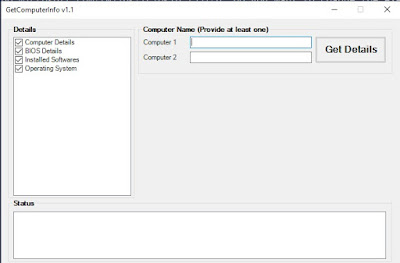
This Powershell script will collect Hardware & Software details from provided remote computers. Key points: Collect the data for two computers. You need to provide at least one computer name. The result will be saved in an Excel file in script directory. You can quickly compare the data for two computers which will be helpful in troubleshooting client issues. Download Instructions: Click he re to open the script in browser Click on Download button Remove .txt extension from file name How to Run: Right click on script and select "Run with Powershell" Note: More features will be added in next versions.

Basic Excel Functions you should know to make your work life easier

Image
As an IT Professional you may have to deal with lots of data every day. I have seen many experienced IT admins spending quite lots of time on the activities which can be quickly performed in Excel if you know few basic Excel formulas. I will explain most commonly used Excel functions here.  Let's start with the String Functions. String Functions: Microsoft Excel offers many functions to manipulate string data. 1. LEFT() LEFT Function allows you to extract the leftmost characters from a string. Syntax :    =LEFT(Text,Num_Chars) The Text  parameter refers to the string you want to manipulate The Num_Chars  parameter refers to the number of characters from left side of string you want to extract. Example: In the below example, we have extracted first 4 characters from left. 2. RIGHT() RIGHT Function allows you to extract the rightmost characters from a string. Syntax  :    =RIGHT(Text,Num_Chars) The  Text ...

Understanding SCCM SQL Views

Image
The Configuration Manager 2012 / Current Branch come with many built in reports which are sufficient for day to day requirements. However, you still have to deal with SQL query to pull custom details directly from SCCM database based on requirement. As an SCCM administrator you must have good understanding of SQL query in order order to pull these information from SCCM database directly. One of the key requirement here is to have understanding of SCCM DB schema. Once you know which information are stored in which SQL view, you can easily write a SQL query to pull out information.  Know SCCM SQL Views: The SCCM SQL View   v_SchemaViews contain the details of all views.  You can use below SQL query to get a list of all views. Select * from v_SchemaViews Since, SCCM creates one separate view for each collection, the list will be quite long. You can filter the result by excluding Collection views from query. Select * from v_SchemaViews where Type <...